
Modern businesses lose a surprising amount of time to repetitive work. Employees copy information between systems, update spreadsheets, prepare routine reports, process invoices, check customer records, and complete the same administrative steps every day. Although each task may appear small, the combined workload can slow operations, increase costs, and create avoidable errors.
Droven.io RPA and business automation explores how companies can use robotic process automation, artificial intelligence, and connected workflows to reduce this manual burden. Instead of replacing an entire technology infrastructure, automation can work across existing applications and perform clearly defined tasks in a consistent way.
Robotic process automation is especially useful for organizations that depend on high-volume, rules-based processes. Software bots can log into systems, move data, validate information, generate documents, send notifications, and complete routine actions without requiring continuous human involvement.
However, successful automation involves more than installing a tool. Businesses must understand their processes, select the right tasks, establish controls, measure performance, and decide where human judgment must remain. This guide explains how RPA and business automation work, where they provide value, and how companies can implement them responsibly.
What Is Droven.io RPA and Business Automation?
Droven.io RPA and business automation refers to educational insights surrounding robotic process automation, workflow optimization, artificial intelligence, and digital business transformation.
Droven.io is an information platform rather than an RPA software product. Its role is to help business owners, technology professionals, and decision-makers understand how automation technologies affect modern operations.
The topic brings together several closely connected concepts:
- Robotic process automation
- Business process automation
- Workflow automation
- Artificial intelligence
- Intelligent document processing
- Process optimization
- No-code and low-code automation
- Digital transformation
- Data integration
- Operational analytics
These technologies help organizations move away from slow, disconnected processes and create workflows that are faster, more accurate, and easier to monitor.
What Is Robotic Process Automation?
Robotic process automation, commonly called RPA, uses software bots to perform repetitive computer-based tasks that people would otherwise complete manually.
An RPA bot can interact with websites, desktop programs, databases, spreadsheets, email platforms, customer relationship management systems, and enterprise applications. It follows predefined instructions and completes tasks in a structured sequence.
For example, an employee processing an invoice may need to:
- Open an email attachment.
- Copy the supplier information.
- Enter the invoice number into accounting software.
- Check the amount against a purchase order.
- Update a tracking spreadsheet.
- Send a confirmation message.
An RPA bot can perform many of these steps automatically when the process follows consistent rules.
Attended RPA
Attended automation works alongside an employee. The bot is usually launched by the user and assists with a specific task.
A customer support representative might activate a bot that gathers account information from several systems while speaking with a customer. The employee remains in control, but the bot eliminates repetitive searching and data entry.
Unattended RPA
Unattended bots operate independently based on a schedule, system event, or predefined trigger.
They can process invoices overnight, generate daily reports, update records, reconcile transactions, or transfer files without requiring an employee to start each process.
Hybrid RPA
Hybrid automation combines attended and unattended bots. One part of the process may run automatically, while another stage requires employee approval or judgment.
This approach is useful when a workflow includes both repetitive actions and decisions that cannot be safely automated.
How Business Automation Differs From RPA
RPA and business automation are closely related, but they are not identical.
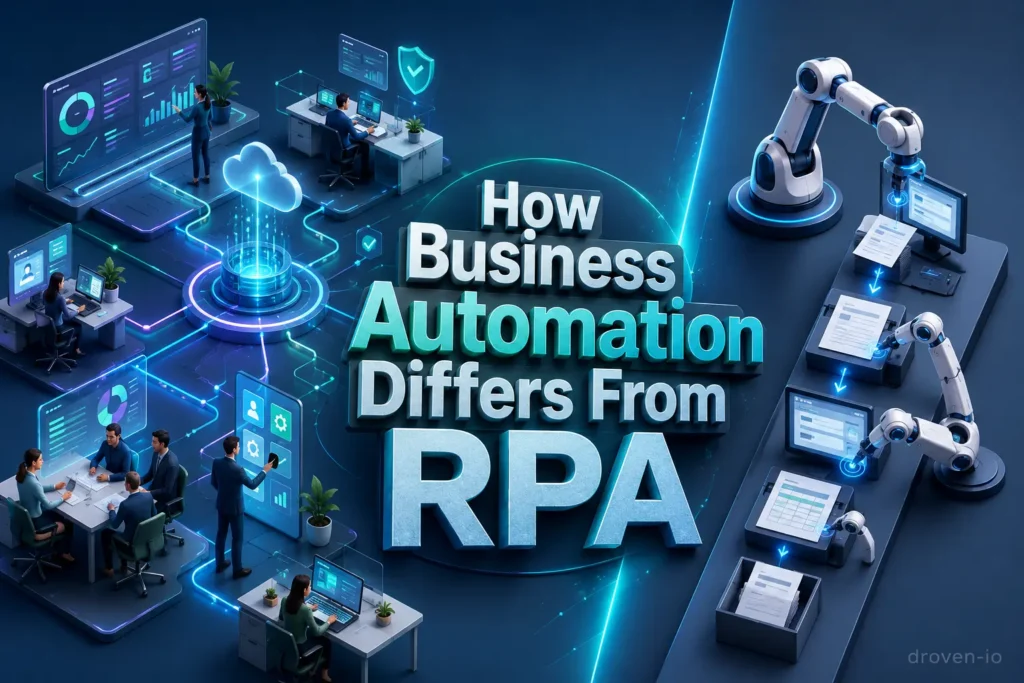
RPA focuses primarily on automating individual tasks by copying the actions a person performs within software. Business automation has a broader scope. It connects tasks, departments, applications, approvals, data, and decision points into a complete operational workflow.
A business automation project may include:
- RPA bots
- Application programming interfaces
- Workflow management software
- Artificial intelligence models
- Document recognition technology
- Automated approval systems
- Business rules
- Data analytics
- Human review stages
RPA may automate one step within an invoice process, while business process automation can manage the entire journey from invoice receipt to approval, payment, reporting, and record storage.
RPA vs Business Automation vs Artificial Intelligence
| Area | Robotic Process Automation | Business Process Automation | Artificial Intelligence |
|---|---|---|---|
| Main purpose | Automates repetitive digital tasks | Automates complete workflows | Interprets information and supports decisions |
| Best suited for | Structured and rules-based work | Multi-step business processes | Complex or variable information |
| Decision ability | Limited to defined rules | Uses workflow conditions and approvals | Can identify patterns and make predictions |
| Typical examples | Data entry, file transfer, report creation | Employee onboarding, invoice approval, order management | Document classification, forecasting, chatbots |
| Human involvement | Low for stable processes | Depends on workflow design | Often requires supervision and validation |
| Implementation complexity | Usually low to moderate | Moderate to high | Moderate to high |
| Main limitation | Struggles with unexpected variations | Requires process coordination | Accuracy depends on data and model quality |
The most effective automation environments often combine all three. RPA performs predictable actions, business automation coordinates the workflow, and AI helps interpret information that cannot be handled by fixed rules alone.
How RPA Works in a Business Environment
RPA bots interact with software through user interfaces, system integrations, or both. They can click buttons, enter text, copy records, open files, and complete other actions that follow a repeatable pattern.
Process Trigger
The workflow begins when a defined event occurs. Common triggers include:
- A new email arrives.
- A form is submitted.
- A file is uploaded.
- A transaction is completed.
- A scheduled time is reached.
- A customer creates a support request.
- An employee approves a task.
Data Collection
The bot collects the information required to complete the process. It may read a spreadsheet, extract fields from a form, retrieve customer details, or access records stored in another application.
Rule Validation
The automation checks whether the information meets predefined conditions. It can identify missing fields, compare values, detect duplicates, or confirm that an amount falls within an approved range.
Task Execution
Once the information is validated, the bot performs the required actions. It might update a system, create a document, send an email, generate a report, or move data into another application.
Exception Handling
A reliable RPA workflow must know what to do when something unexpected happens. The bot may retry the action, record the error, notify an employee, or send the case for manual review.
Reporting and Monitoring
Automation platforms record process activity, completion times, errors, and outcomes. These records help managers understand whether the workflow is performing correctly.
Common RPA and Business Automation Use Cases
Automation can support almost every department, but it delivers the strongest results when tasks are frequent, predictable, digital, and based on clear rules.
Finance and Accounting
Finance departments often manage large volumes of structured information, making them strong candidates for RPA.
Common uses include:
- Invoice data entry
- Accounts payable processing
- Payment reconciliation
- Expense validation
- Purchase order matching
- Financial report preparation
- Tax document organization
- Vendor record updates
- Payment reminder generation
Automation can shorten processing times while improving the consistency of financial records.
Human Resources
HR teams manage employee information across recruitment, payroll, training, benefits, and internal systems.
RPA can assist with:
- Candidate data collection
- Employee onboarding
- Account creation requests
- Payroll information updates
- Leave record management
- Training reminders
- Compliance document tracking
- Employee offboarding
A connected onboarding workflow can notify departments, prepare documents, create system access requests, and track outstanding tasks from one process.
Customer Service
Customer service teams frequently move between several systems to answer a single request.
Automation can:
- Retrieve customer details
- Categorize support tickets
- Update case records
- Send standard confirmations
- Route requests to the correct team
- Check order or payment status
- Prepare refund documentation
- Escalate unresolved cases
RPA reduces administrative work, allowing support representatives to spend more time solving customer problems.
Sales and Marketing
Sales and marketing automation can improve data quality and reduce delays between lead generation and follow-up.
Possible applications include:
- Lead data entry
- Contact record enrichment
- CRM updates
- Campaign list management
- Sales report creation
- Follow-up reminders
- Quote generation
- Duplicate record detection
- Marketing performance reporting
Automation is particularly valuable when information must be transferred between advertising platforms, forms, spreadsheets, email tools, and CRM systems.
Supply Chain and Logistics
Supply chain operations involve orders, inventory records, supplier communication, shipping documents, and delivery updates.
RPA can support:
- Inventory monitoring
- Purchase order creation
- Shipment tracking
- Delivery status updates
- Supplier record maintenance
- Order confirmation
- Freight document processing
- Stock-level alerts
- Logistics report generation
Information Technology
IT departments can use automation to handle repetitive service and infrastructure tasks.
Examples include:
- User account provisioning
- Password reset workflows
- Software installation requests
- System health checks
- Access permission updates
- Log collection
- Incident ticket creation
- Backup verification
- Routine maintenance reporting
What Makes a Process Suitable for RPA?
Not every business process should be automated. A process is more likely to produce strong results when it has several of the following characteristics:
- It occurs frequently.
- It requires significant manual effort.
- It follows clear and stable rules.
- It uses digital information.
- It produces consistent inputs and outputs.
- It involves several repetitive steps.
- It has a measurable cost or processing time.
- Human error creates financial or operational risk.
- The process does not require constant judgment.
- The underlying systems are reasonably stable.
Processes That May Not Be Good RPA Candidates
Businesses should be cautious about automating processes that:
- Change frequently
- Depend heavily on personal judgment
- Contain many unpredictable exceptions
- Use poor-quality or incomplete data
- Have no clearly defined owner
- Occur only a few times per year
- Are already inefficient or unnecessary
- Involve highly sensitive decisions without oversight
Automating a broken process usually makes the same problems happen faster. Process improvement should therefore come before automation.
Key Benefits of RPA and Business Automation
Improved Operational Efficiency
Bots can perform routine tasks quickly and consistently. This reduces waiting time between steps and helps departments process larger workloads without immediately increasing staff.
Fewer Manual Errors
Repetitive data entry can lead to incorrect values, missing information, duplicate records, and formatting problems. Automation follows the same validated steps each time.
Lower Process Costs
Automation can reduce the labour required for high-volume administrative work. The strongest savings usually come from processes that occur frequently and consume many employee hours.
Greater Employee Productivity
RPA allows employees to focus on customer relationships, problem-solving, analysis, strategy, and creative work instead of spending most of their day copying information.
Faster Customer Service
Automated data retrieval, ticket routing, and status updates can reduce response times. Employees receive the information they need without manually searching several systems.
Better Process Visibility
Business automation platforms can record when a task started, which steps were completed, where an error occurred, and how long the process required.
Easier Scalability
Once a workflow has been tested, businesses can often increase its processing capacity without redesigning the entire operation. Additional bots or cloud resources can help manage higher transaction volumes.
Improved Compliance
Automation can apply required rules consistently and create detailed activity records. It can also notify employees when an approval, review, or document is missing.
The Role of AI in Intelligent Automation

Traditional RPA is effective when every step follows a clear rule. Real business information, however, is not always perfectly structured.
Invoices may use different layouts. Customers may describe the same issue in different words. Emails may contain attachments, tables, or incomplete details. Artificial intelligence helps automation systems work with this variation.
AI-enhanced automation can include:
- Optical character recognition
- Natural language processing
- Machine learning
- Predictive analytics
- Image recognition
- Generative AI
- Intelligent document processing
- AI-powered virtual assistants
For example, AI may identify the relevant fields in an invoice, while an RPA bot enters those fields into accounting software. The AI interprets the document, and the bot completes the routine action.
RPA and AI Are Not Interchangeable
RPA follows instructions. AI interprets patterns.
A traditional bot may be told to copy the value from a specific spreadsheet cell. An AI system may first need to determine which value represents the invoice total.
Combining the two technologies creates intelligent automation, but human supervision remains important when decisions involve risk, uncertainty, legal obligations, or significant financial consequences.
A Practical RPA Implementation Process
Identify Repetitive Work
Start by asking employees which tasks consume the most time. Review process records, support requests, spreadsheets, and recurring administrative activities.
Document the Existing Process
Write down every step, including:
- Who performs it
- Which applications are used
- What information is required
- Which decisions are made
- How exceptions are handled
- How long each step takes
A process cannot be automated reliably if it is not understood.
Simplify Before Automating
Remove duplicate approvals, unnecessary data entry, unused reports, and outdated procedures. Automation should support a well-designed process rather than preserve inefficiency.
Estimate the Business Value
Consider the number of transactions, time spent per task, error rate, operational risk, implementation cost, and expected maintenance.
A process with high volume and clear rules will generally produce a stronger return than a rare process with many exceptions.
Select a Pilot Process
The first automation should be useful but manageable. A focused project allows the organization to test governance, security, employee training, and technical support before expanding.
Build and Test the Workflow
Test normal cases as well as unusual situations. The automation should be able to recognize missing information, delayed systems, duplicate records, and invalid values.
Keep Human Review Where Necessary
High-risk transactions, customer complaints, legal decisions, financial approvals, and unusual exceptions may still require human judgment.
Measure Performance
Track results before and after implementation. Useful RPA performance indicators include:
- Processing time
- Cost per transaction
- Error rate
- Completion rate
- Number of exceptions
- Employee hours saved
- Customer response time
- Bot availability
- Automation maintenance cost
Improve and Expand
Once the pilot is stable, use the lessons learned to automate additional workflows. Expansion should be controlled rather than rushed.
Risks and Challenges of RPA
RPA can create valuable improvements, but it is not maintenance-free.
Fragile Automations
A bot that depends on screen positions or interface elements may stop working when an application changes. Regular testing and monitoring are necessary.
Poor Process Selection
Automating a low-volume, unstable, or judgment-heavy process may cost more than it saves.
Hidden Exceptions
Employees often handle unusual situations without formally documenting them. These exceptions can cause automation failures after deployment.
Security Concerns
Bots may require access to customer records, financial systems, employee information, or internal applications. Access permissions should follow the principle of least privilege.
Lack of Ownership
Every automation needs a responsible process owner. Without ownership, errors may remain unresolved and workflows can become outdated.
Employee Resistance
Workers may worry that automation will remove their jobs or reduce their influence. Clear communication and training help employees understand how the technology will support their work.
Automation Sprawl
When departments create bots independently, an organization may end up with duplicated workflows, inconsistent controls, and unsupported automations.
RPA Governance and Security Best Practices
A scalable automation program requires clear standards.
Businesses should:
- Maintain an inventory of active bots.
- Assign an owner to every automated process.
- Use separate bot accounts where appropriate.
- Limit system permissions.
- Encrypt sensitive information.
- Record bot activity.
- Test automations after application updates.
- Establish approval requirements.
- Document exception-handling procedures.
- Create backup and recovery plans.
- Review performance regularly.
- Retire outdated automations.
Governance should not make automation unnecessarily slow. Its purpose is to ensure that bots remain secure, reliable, and accountable as usage expands.
How Small Businesses Can Use RPA
RPA is not limited to large enterprises. Small businesses can automate routine work using cloud platforms, no-code tools, built-in software integrations, and lightweight workflow systems.
Useful starting points include:
- Sending invoice reminders
- Updating CRM records
- Creating weekly reports
- Organizing email attachments
- Processing online form submissions
- Synchronizing customer information
- Monitoring inventory levels
- Scheduling internal notifications
- Preparing standard documents
- Tracking leads and follow-ups
Small businesses should begin with one process that has a visible problem, measurable workload, and clear expected result. A small successful workflow is more valuable than an ambitious automation project that cannot be maintained.
How to Choose an RPA or Automation Platform
Businesses should evaluate automation tools based on operational needs rather than brand popularity alone.
Important factors include:
Ease of Use
Can employees build and update workflows, or will every change require a developer?
Application Compatibility
The platform should work with the websites, desktop applications, cloud tools, databases, and legacy systems used by the organization.
Scalability
The solution should handle higher transaction volumes and additional workflows as the automation program grows.
Security
Review identity management, access controls, encryption, audit logs, hosting options, and compliance features.
Exception Management
A strong platform should make failed tasks easy to identify, review, correct, and restart.
Monitoring and Analytics
Managers need visibility into bot performance, errors, processing times, and business outcomes.
Integration Capabilities
API connections and built-in integrations can be more stable than automations that depend entirely on screen interactions.
Total Cost
Consider licensing, implementation, infrastructure, training, maintenance, support, and future scaling—not only the initial subscription price.
The Future of RPA and Business Automation
RPA is gradually becoming part of broader intelligent automation environments. Instead of automating isolated clicks, organizations are building connected systems that can interpret information, coordinate tasks, and involve employees when judgment is required.
Several developments are shaping this transition:
- AI-assisted process discovery
- Intelligent document processing
- Natural-language workflow creation
- Cloud-based automation
- Process mining
- Automated testing
- AI agents
- Predictive workflow management
- Self-service automation
- Human-in-the-loop decision systems
Traditional RPA will remain useful for stable, repetitive work. However, the strongest business value will come from combining task automation with better process design, reliable data, system integration, AI capabilities, and human expertise.
Frequently Asked Questions
What is Droven.io RPA and business automation?
Droven.io RPA and business automation is an informational topic covering robotic process automation, workflow automation, intelligent automation, and digital business processes. Droven.io provides technology-focused content rather than functioning as an RPA software platform.
What does an RPA bot do?
An RPA bot performs predefined actions within digital systems. It can enter data, open applications, move files, update records, create reports, send messages, and complete other repetitive tasks.
Is RPA the same as artificial intelligence?
No. RPA follows defined rules and instructions, while artificial intelligence can analyze patterns, interpret information, and generate predictions or responses. The two technologies can be combined.
Can RPA replace employees?
RPA usually replaces specific repetitive tasks rather than complete jobs. Employees remain necessary for judgment, communication, strategy, exception handling, creativity, and process improvement.
Which business processes should be automated first?
Businesses should begin with processes that are repetitive, high-volume, rules-based, measurable, and supported by stable digital information.
Is RPA suitable for small businesses?
Yes. Small businesses can use RPA and workflow automation for invoicing, CRM updates, lead tracking, reporting, email management, inventory monitoring, and other routine tasks.
What is the difference between attended and unattended automation?
Attended automation assists an employee and is generally started by the user. Unattended automation runs independently according to a schedule, trigger, or system event.
What are the main risks of RPA?
Common risks include weak security, poorly selected processes, unhandled exceptions, fragile bots, unclear ownership, inadequate testing, and insufficient maintenance.
How can a business measure RPA success?
RPA success can be measured through processing time, error reduction, employee hours saved, completion rates, customer response times, operational costs, and return on investment.
Does RPA work with older software?
RPA can often interact with legacy applications through their user interfaces, even when modern integrations are unavailable. However, the automation must be tested carefully because interface changes can disrupt the workflow.
Conclusion
Droven.io RPA and business automation highlights an important shift in the way organizations manage repetitive work. Robotic process automation gives businesses a practical method for completing structured digital tasks faster, reducing manual errors, and improving process consistency.
The greatest results do not come from automating every task. They come from selecting the right processes, simplifying inefficient workflows, protecting sensitive information, planning for exceptions, and keeping people involved where judgment matters.
RPA can handle predictable actions, business automation can coordinate complete workflows, and artificial intelligence can help interpret more complex information. When these capabilities are combined thoughtfully, organizations can create operations that are faster, more visible, and easier to scale.
Businesses should treat automation as an ongoing operational strategy rather than a one-time software installation. A well-designed automation program supports employees, strengthens customer service, improves data quality, and gives decision-makers more time to focus on growth.